How do I connect to a meeting room TV?
You can connect to the meeting room TV via AirPlay
What do I need to check first?
- Connect to one of the following Wi-Fi networks: How to Connect to Wi-Fi
- The device is already connected to the Wi-Fi network, Please make sure it is not connected to a VPN.
- Ensure the meeting room system is turned on
Connecting to the TV in a meeting room via AirPlay using MacBook
Steps to connect
Step 1:
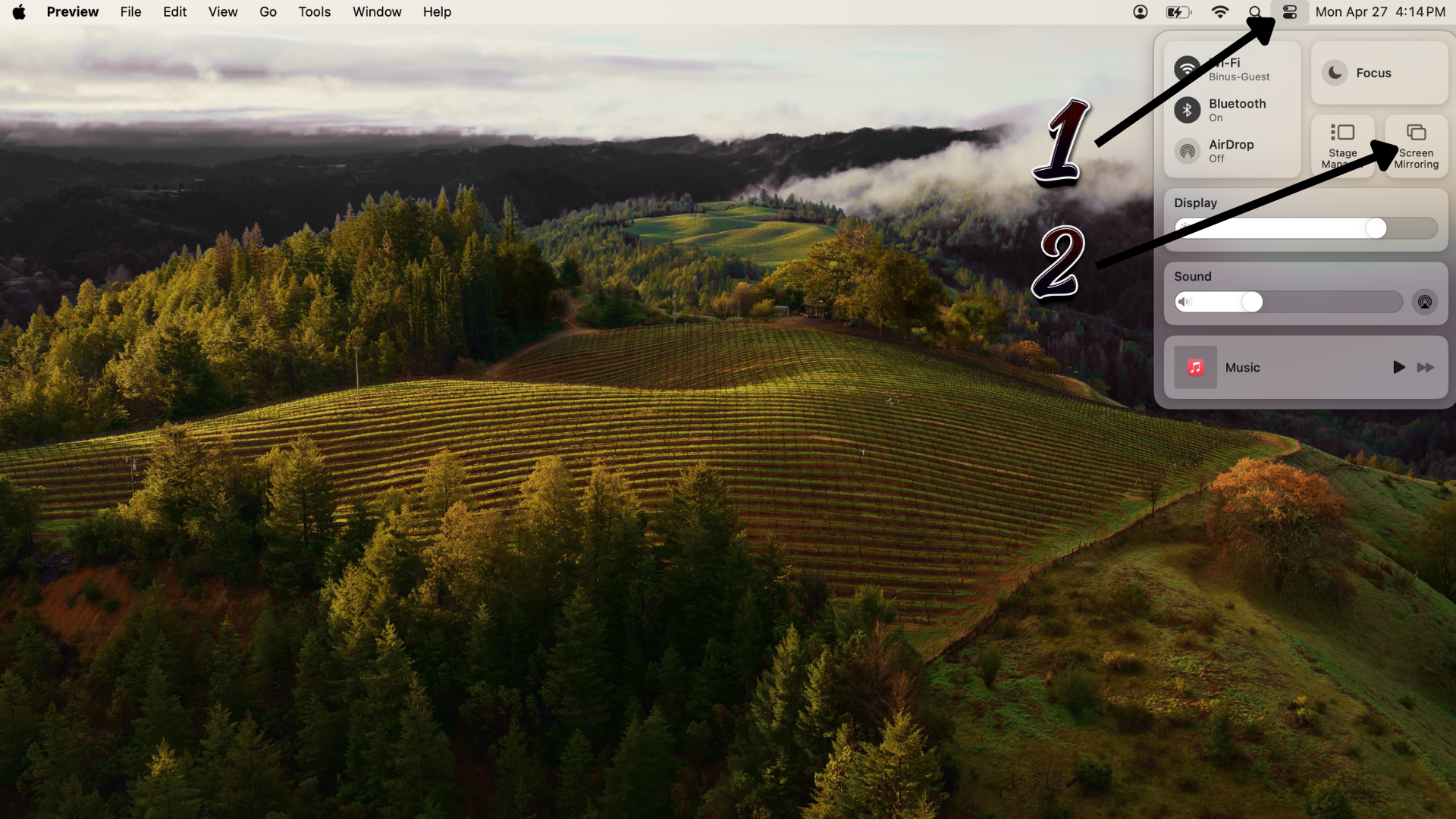
Click Control Center in the top-right corner.
Click Control Center in the top-right corner.
Step 2:
Select Screen Mirroring.
Select Screen Mirroring.
Step 3:
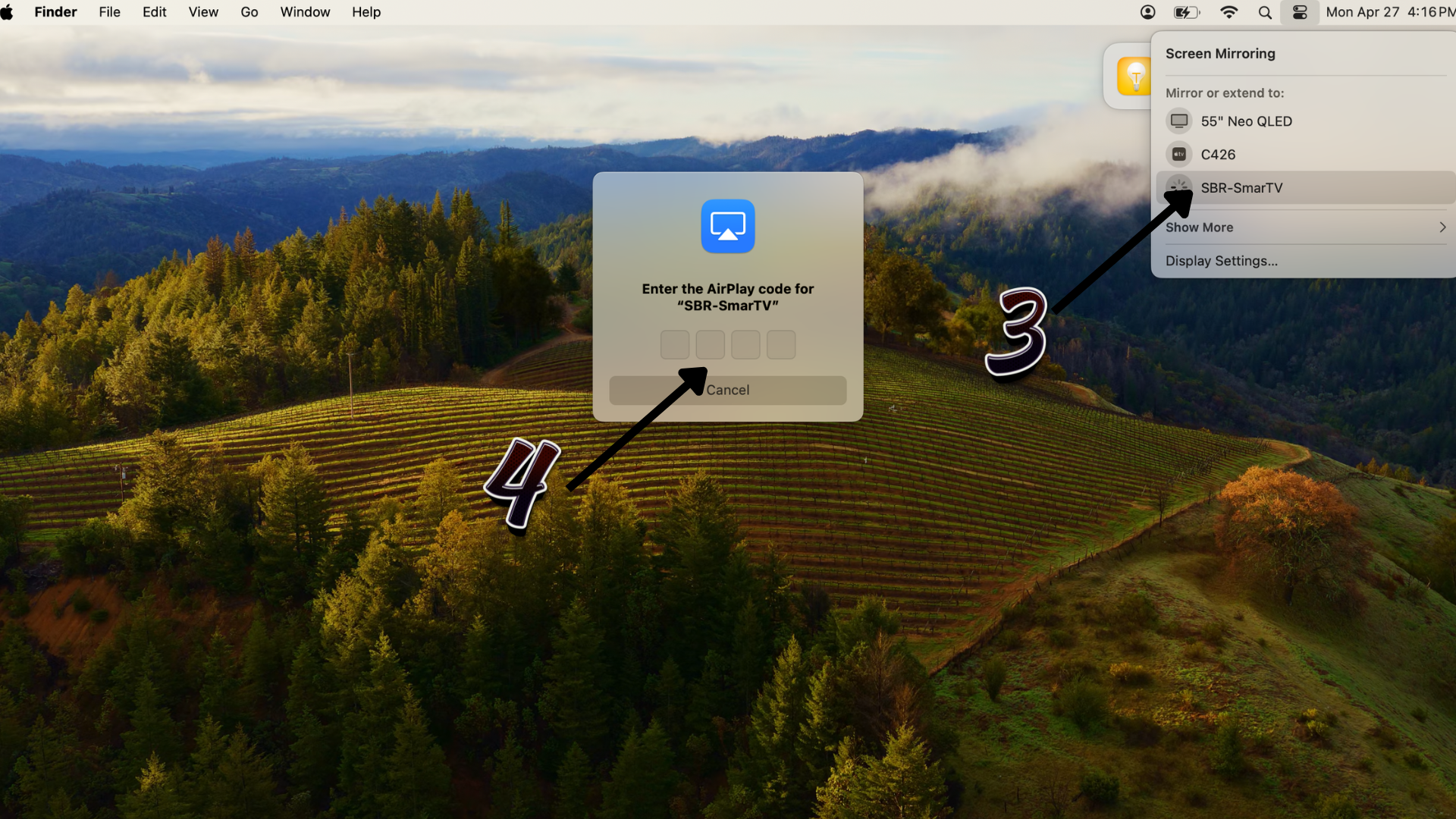
Choose the device named TV (SBR-SmartTV)
Choose the device named TV (SBR-SmartTV)
Step 4:
Enter the AirPlay verification code shown on the TV screen
Enter the AirPlay verification code shown on the TV screen
Step 5:
Your screen will be displayed on the TV
Your screen will be displayed on the TV
Connecting to the TV in a meeting room via AirPlay using iPad or iPhone
Steps to connect
Step 1:
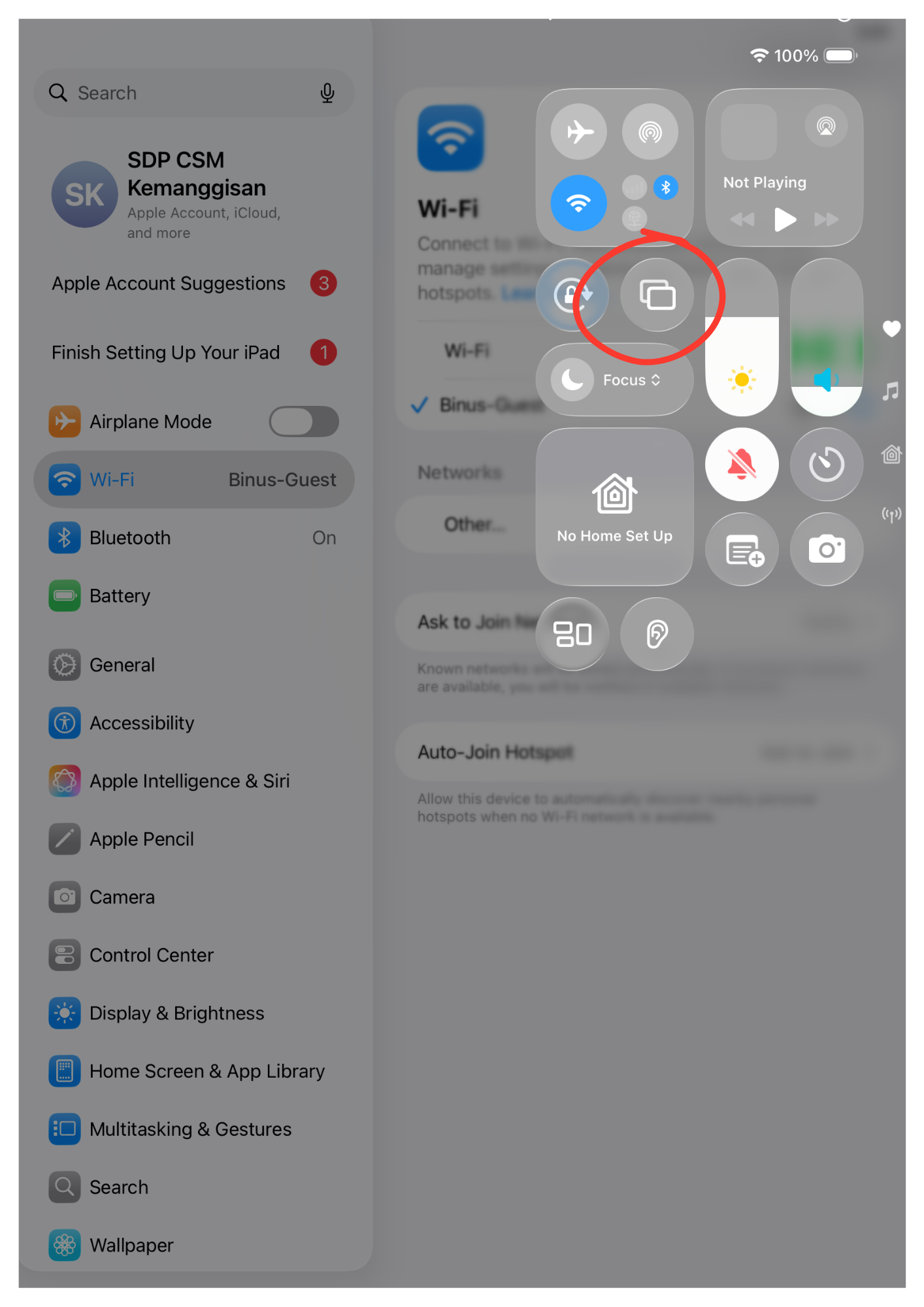
Swipe down from the top-right corner to open Control Center
Swipe down from the top-right corner to open Control Center
Step 2:
Select Screen Mirroring.
Select Screen Mirroring.
Step 3:
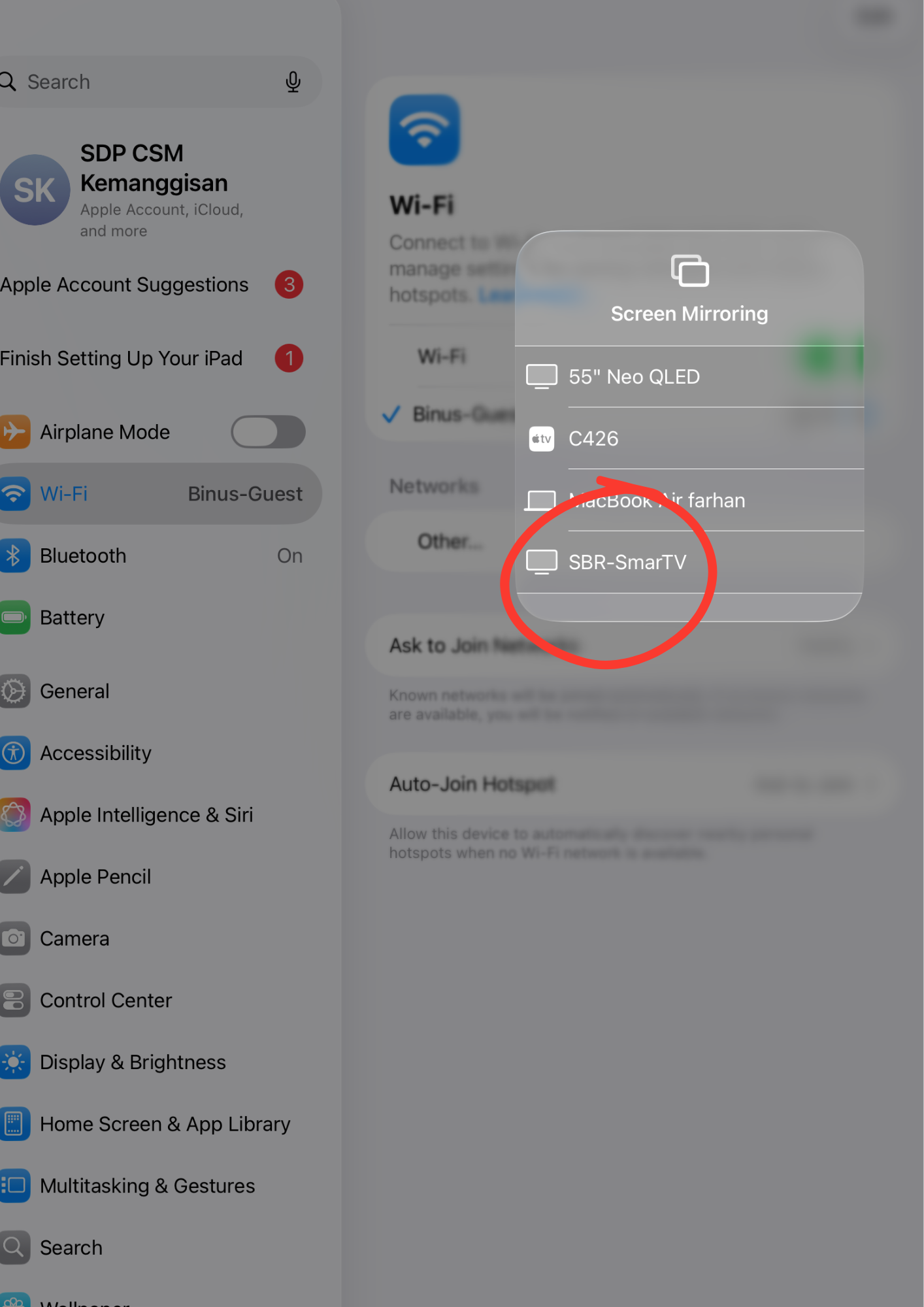
Choose the device named TV (SBR-SmartTV)
Choose the device named TV (SBR-SmartTV)
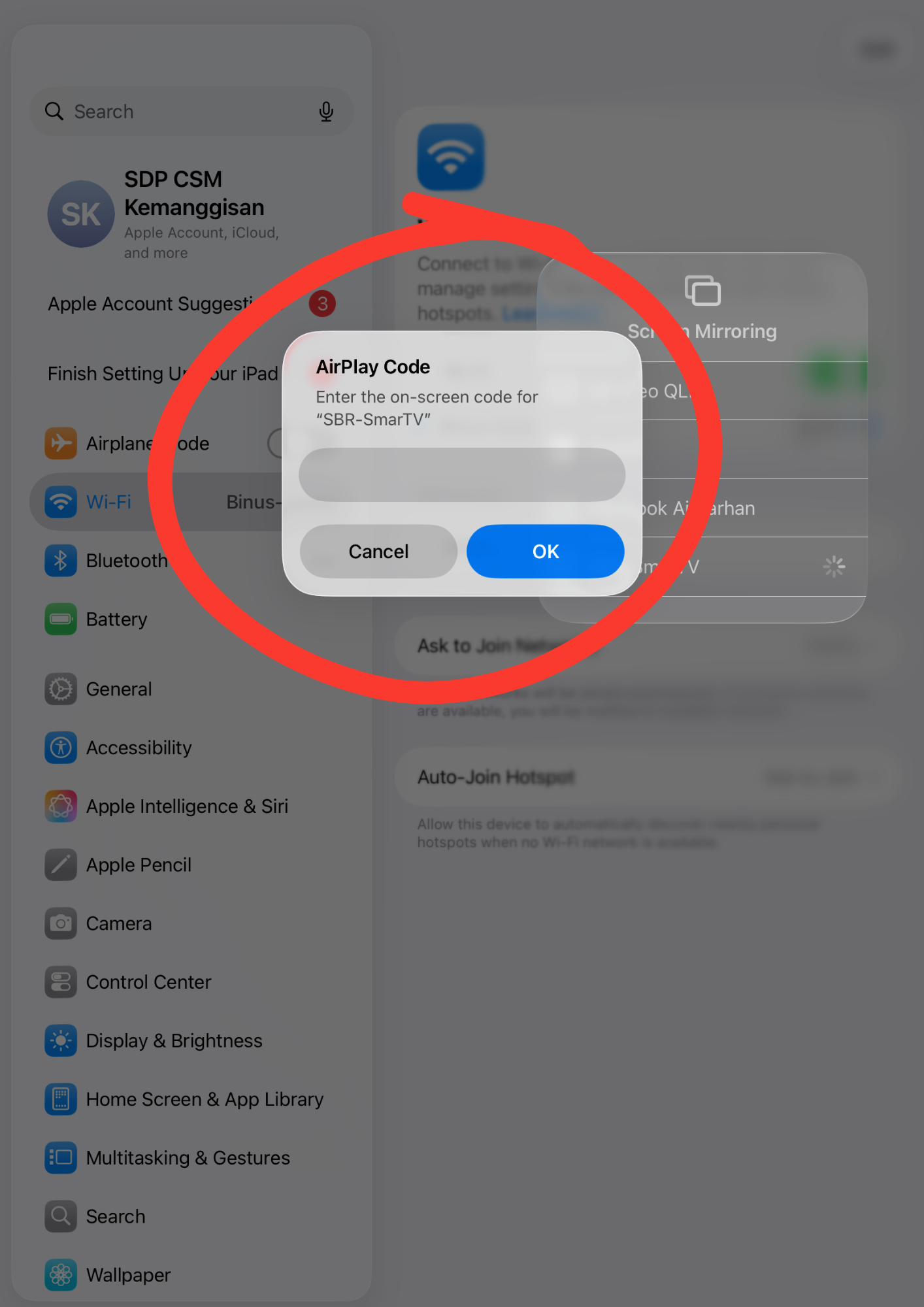
Step 4:
Enter the AirPlay verification code shown on the TV screen
Enter the AirPlay verification code shown on the TV screen
Step 5:
Your screen will be displayed on the TV
Your screen will be displayed on the TV
Tips
- Check network connection
- Restart device if connection fails